shiny.element brings Element Plus 2.14.7 – its inputs, tables, trees,
menus, dialogs and the rest – to Shiny. Each component reports through
input$<id> and is updated from the server, like any
other Shiny input. Element Plus, its icons and Vue 3.5 ship inside the
package, so an app needs no network.
Installation
install.packages("shiny.element")
# or the development version
remotes::install_github("kaipingyang/shiny.element")
Quick start
el_page() is the page: it loads Vue and Element Plus and
gives the page Element Plus’s look.
library(shiny)
library(shiny.element)

ui <- el_page(
  el_input("name", label = "Name", placeholder = "Your name", width = "300px"),
  el_rate("score", label = "Score", value = 3),
  el_button("save", "Save", type = "primary"),
  tags$div(style = "height: 12px"),
  el_alert("hint", title = "Nothing saved yet", type = "info", closable = FALSE)
)

server <- function(input, output, session) {
  observeEvent(input$save, {
    update_el_alert(
      id = "hint",
      type = "success",
      title = paste0("Saved ", input$name, " (", input$score, "/5)")
    )
  })
}

shinyApp(ui, server)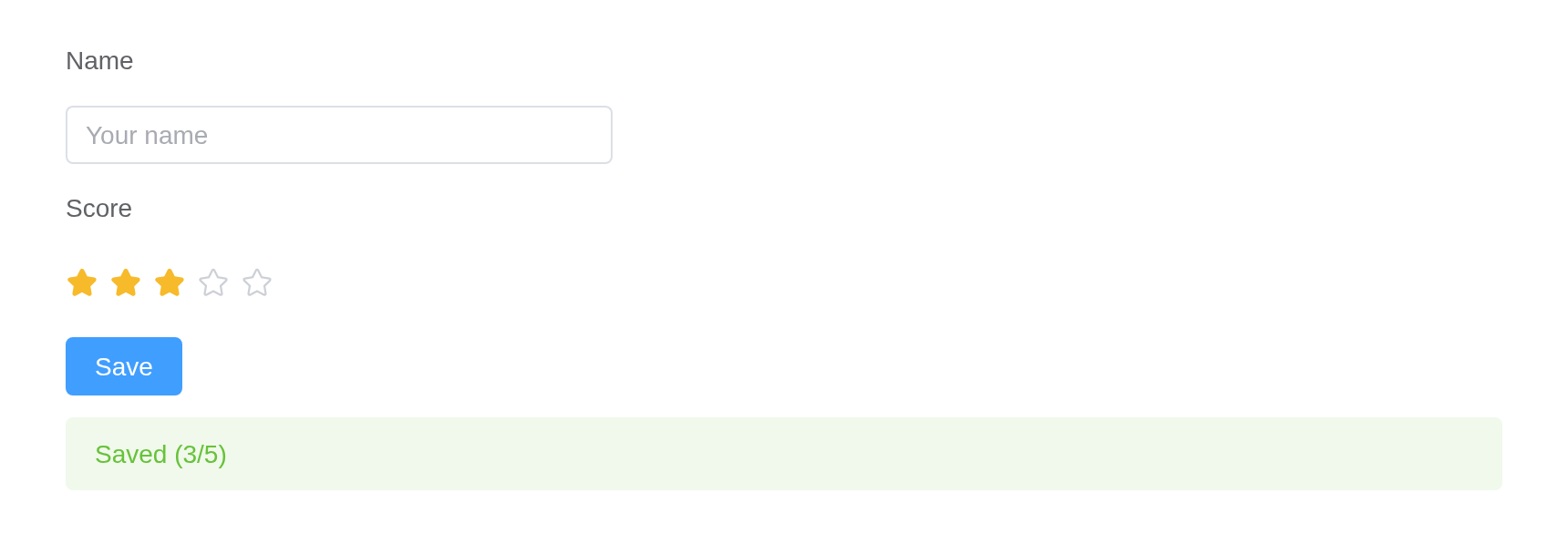
Inside another page function – fluidPage(), bslib’s
page_sidebar() – call use_element() once
instead, giving it the page’s theme so Element follows it:
theme <- el_theme(primary = "#7c3aed")
ui <- bslib::page_sidebar(
  theme = theme,
  use_element(theme = theme),
  sidebar = bslib::sidebar(el_select("metric", choices = c("Mean", "Median"))),
  el_table(data = head(iris))
)
Reading and writing
A component with a value reports it as input$<id>,
on load and on change. The server changes it with the matching
update_el_*(), runs one of Element’s methods with
call_el(), and shows a message, a notification or a
question with el_message(), el_notification()
and el_message_box(). Element’s events arrive as
input$<id>_<event>.
server <- function(input, output, session) {
  output$chosen <- renderText(input$city) # read
  observeEvent(input$reset, update_el_select(id = "city", selected = "Beijing"))
  observeEvent(input$clear, call_el(id = "orders", method = "clearSelection"))
  observeEvent(input$orders_row_click, el_message(message = "Row clicked"))
}
Where next
- Components – a page for each of Element’s components, in Element’s own order, each demo of its documentation in R and its API tables beside the R names.
-
Forms and validation – labels and errors, choices,
el_form(), shinyvalidate, dates. - Shiny integration – events, methods, modules, bookmarking, shinyjs, data from the server, components of your own.
- Theming, Internationalization, Dark Mode, Custom Defaults, Built-in Transitions – as in Element Plus’s own guide, from R.
- Migration from Element UI – what changed from shiny.element’s Vue 2 release.
- What works, and what does not – where this differs from Element in a browser.