Used to replace the browser’s native scrollbar.
Basic usage
Use height property to set the height of the scrollbar,
or if not set, it adapts according to the parent container height.
item <- function(i) {
  tags$p(
    class = "scrollbar-demo-item",
    style = paste(
      "display: flex; align-items: center; justify-content: center; height: 50px; margin: 10px;",
      "text-align: center; border-radius: 4px; background: var(--el-color-primary-light-9);",
      "color: var(--el-color-primary)"
    ),
    i
  )
}
el_scrollbar(height = "400px", lapply(1:20, item))
Horizontal scroll
When the element width is greater than the scrollbar width, the horizontal scrollbar is displayed.
item <- function(i) {
  tags$p(
    style = paste(
      "flex-shrink: 0; display: flex; align-items: center; justify-content: center; width: 100px;",
      "height: 50px; margin: 10px; border-radius: 4px; background: var(--el-color-danger-light-9);",
      "color: var(--el-color-danger)"
    ),
    i
  )
}
el_scrollbar(tags$div(style = "display: flex", lapply(1:50, item)))
Max height
The scrollbar is displayed only when the element height exceeds the max height.
The buttons add and delete items: the scrollbar appears once they
pass max_height.
ui <- el_page(
  tags$style(
    ".scrollbar-demo-item { display: flex; align-items: center;
       justify-content: center; height: 50px; margin: 10px; text-align: center;
       border-radius: 4px; background: var(--el-color-primary-light-9);
       color: var(--el-color-primary); }"
  ),
  el_button("sb_add", "Add Item"),
  el_button("sb_delete", "Delete Item"),
  el_scrollbar(max_height = "400px", uiOutput("sb_items"))
)
server <- function(input, output, session) {
  count <- reactiveVal(3)
  observeEvent(input$sb_add, count(count() + 1))
  observeEvent(input$sb_delete, count(max(0, count() - 1)))
  output$sb_items <- renderUI({
    lapply(seq_len(count()), function(i) {
      tags$p(class = "scrollbar-demo-item", i)
    })
  })
}
shinyApp(ui, server)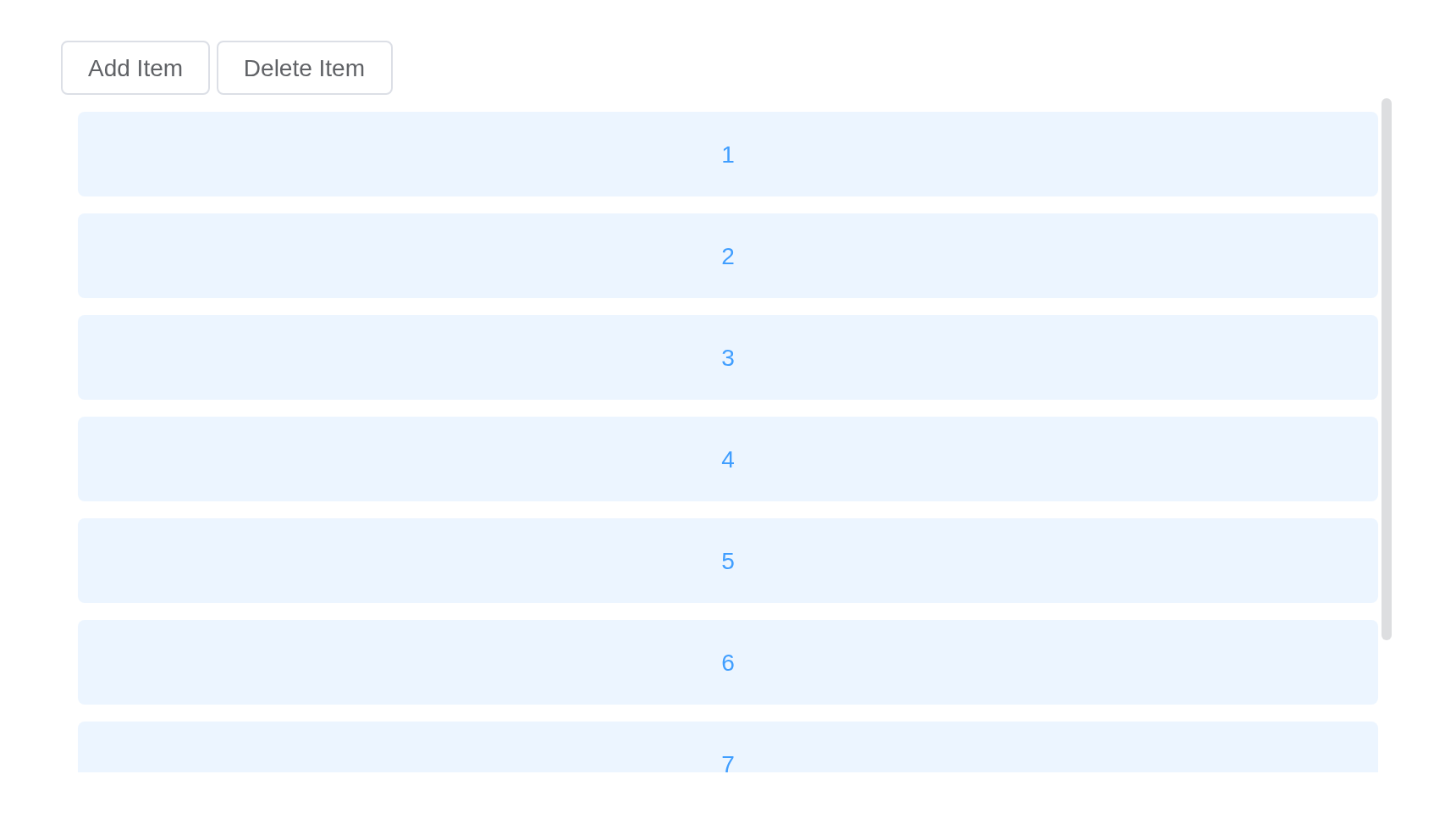
Manual scroll
Use setScrollTop and setScrollLeft methods
can control scrollbar manually.
The slider scrolls the area from the server,
call_el(session, "sb", "setScrollTop", list(px)), and
follows it back: input$sb_scroll says where it is. Twenty
items of 60px and a margin make 1210px, 830px more than the 380px
shown.
ui <- el_page(
  tags$style(
    ".scrollbar-demo-item { display: flex; align-items: center;
       justify-content: center; height: 50px; margin: 10px; text-align: center;
       border-radius: 4px; background: var(--el-color-primary-light-9);
       color: var(--el-color-primary); }
     .el-slider { margin-top: 20px; }"
  ),
  el_scrollbar(
    id = "sb",
    height = "400px",
    always = TRUE,
    tags$div(lapply(1:20, function(i) tags$p(class = "scrollbar-demo-item", i)))
  ),
  el_slider(
    "sb_slider",
    value = 0,
    max = 830,
    format_tooltip = JS("function(value) { return value + ' px'; }")
  )
)
server <- function(input, output, session) {
  observeEvent(input$sb_slider, ignoreInit = TRUE, {
    call_el(session, "sb", "setScrollTop", list(input$sb_slider))
  })
  observeEvent(input$sb_scroll, {
    update_el_slider(
      session,
      "sb_slider",
      value = round(input$sb_scroll$scrollTop)
    )
  })
}
shinyApp(ui, server)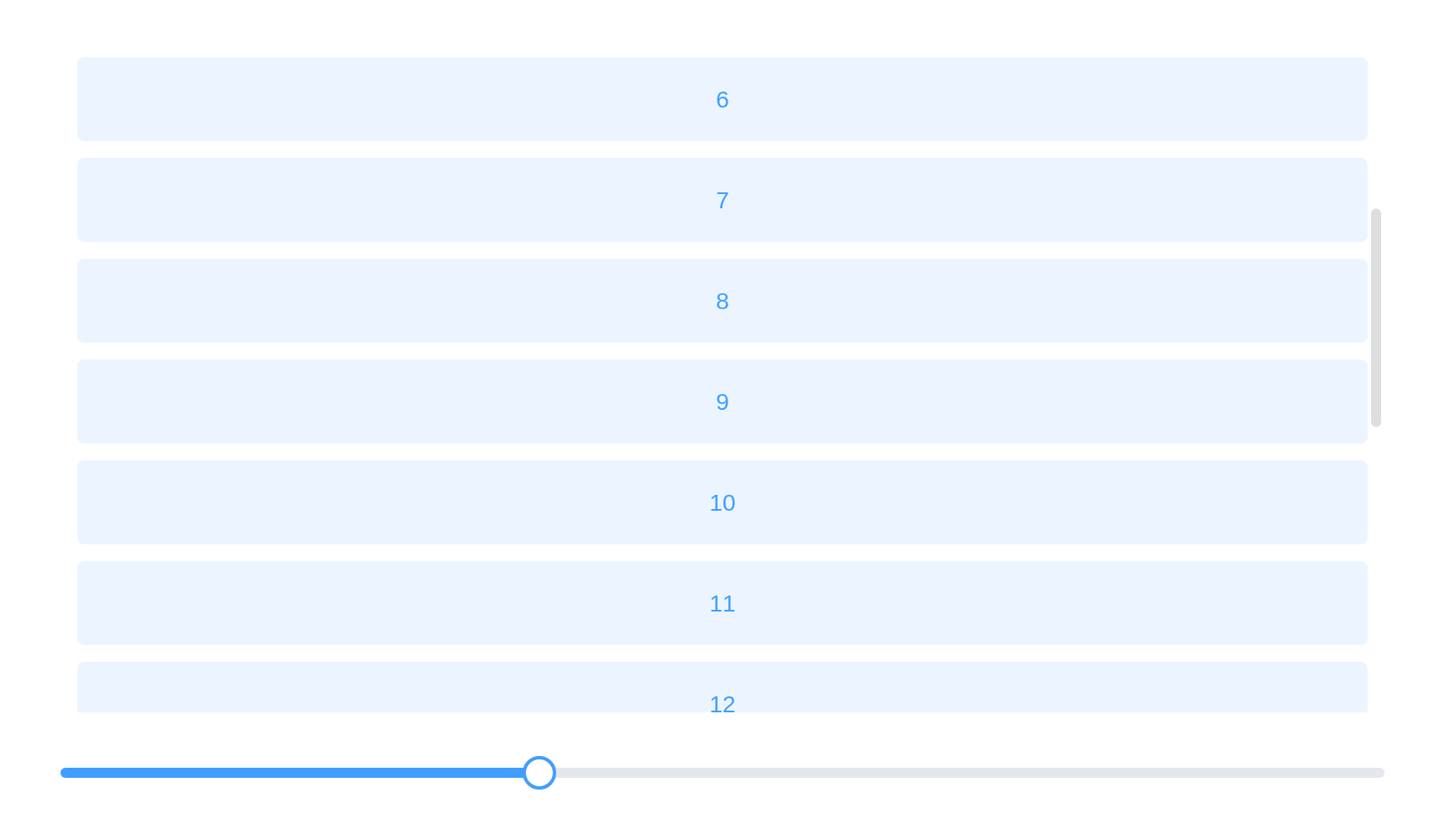
Infinite scroll
end-reached is triggered when the scrollbar reaches the
end. It can be used as an infinite scroll.
Reaching an end is input$<id>_end_reached:
"bottom", "top", …
item <- function(i) {
  tags$p(
    style = paste(
      "display: flex; align-items: center; justify-content: center; height: 50px; margin: 10px;",
      "border-radius: 4px; background: var(--el-color-primary-light-9); color: var(--el-color-primary)"
    ),
    i
  )
}
el_scrollbar(id = "sb_more", height = "400px", lapply(1:30, item))
API
Element Plus’s tables, and beside each entry where it is in R.
Attributes
| Element | In R | Description | Type | Accepted | Default |
|---|---|---|---|---|---|
height |
height |
height of scrollbar | 1 / 2 | — | |
max-height |
max_height |
max height of scrollbar | 3 / 4 | — | |
native |
native |
whether to use the native scrollbar style | 5 | false | |
wrap-style |
wrap_style |
style of wrap container |
6 /
7CSSProperties \\| CSSProperties[] \\| string[]
|
— | |
wrap-class |
wrap_class |
class of wrap container | 8 | — | |
view-style |
view_style |
style of view |
9 /
10CSSProperties \\| CSSProperties[] \\| string[]
|
— | |
view-class |
view_class |
class of view | 11 | — | |
noresize |
noresize |
do not respond to container size changes, if the container size does not change, it is better to set it to optimize performance | 12 | false | |
tag |
tag |
element tag of the view | 13 | div | |
always |
always |
always show scrollbar | 14 | false | |
min-size |
min_size |
minimum size of scrollbar | 15 | 20 | |
id |
id, the Shiny input’s |
id of view | 16 | — | |
role |
role |
role of view | 17 | — | |
aria-label |
aria_label |
aria-label of view | 18 | — | |
aria-orientation |
aria_orientation |
aria-orientation of view |
19'horizontal' \\| 'vertical'
|
— | |
tabindex |
tabindex |
tabindex of wrap container | 20 / 21 | — | |
distance |
distance |
trigger end-reached event distance(px) | 22 | 0 |
Events
| Element | In R | Description |
|---|---|---|
scroll |
input$<id>_scroll |
triggers when scrolling, return distance of scrolling |
end-reached |
input$<id>_end_reached |
triggers when the end of a scroll is triggered |
Exposes
| Element | In R | Description |
|---|---|---|
handleScroll |
call_el(session, id, "handleScroll") |
handle scroll event |
scrollTo |
call_el(session, id, "scrollTo") |
scrolls to a particular set of coordinates |
setScrollTop |
call_el(session, id, "setScrollTop") |
Set distance to scroll top |
setScrollLeft |
call_el(session, id, "setScrollLeft") |
Set distance to scroll left |
update |
call_el(session, id, "update") |
update scrollbar state manually |