The tree selector of the dropdown menu, it combines the functions of
components el-tree and el-select.
Basic usage
Selector for tree structures.
Nodes are list(value =, label =, children =);
input$<id> is the value picked.
n <- function(value, label, ...) {
  list(value = value, label = label, children = list(...))
}
nodes <- list(
  n(
    "1",
    "Level one 1",
    n("1-1", "Level two 1-1", n("1-1-1", "Level three 1-1-1"))
  ),
  n(
    "2",
    "Level one 2",
    n("2-1", "Level two 2-1", n("2-1-1", "Level three 2-1-1")),
    n("2-2", "Level two 2-2", n("2-2-1", "Level three 2-2-1"))
  ),
  n(
    "3",
    "Level one 3",
    n("3-1", "Level two 3-1", n("3-1-1", "Level three 3-1-1")),
    n("3-2", "Level two 3-2", n("3-2-1", "Level three 3-2-1"))
  )
)
tagList(
  el_tree_select(
    "ts_basic",
    data = nodes,
    render_after_expand = FALSE,
    width = "240px"
  ),
  el_divider(),
  "show checkbox:",
  el_tree_select(
    "ts_basic_check",
    data = nodes,
    render_after_expand = FALSE,
    show_checkbox = TRUE,
    width = "240px"
  )
)Select any level
When using the check-strictly=true attribute, any node
can be checked, otherwise only leaf nodes are supported.
Tip
When using
show-checkbox, sincecheck-on-click-nodeis false by default, it can only be selected by checking, you can set it to true, and then click the node to select.
check_strictly lets any level be picked, not only the
leaves.
n <- function(value, label, ...) {
  list(value = value, label = label, children = list(...))
}
nodes <- list(
  n(
    "1",
    "Level one 1",
    n("1-1", "Level two 1-1", n("1-1-1", "Level three 1-1-1"))
  ),
  n(
    "2",
    "Level one 2",
    n("2-1", "Level two 2-1", n("2-1-1", "Level three 2-1-1")),
    n("2-2", "Level two 2-2", n("2-2-1", "Level three 2-2-1"))
  ),
  n(
    "3",
    "Level one 3",
    n("3-1", "Level two 3-1", n("3-1-1", "Level three 3-1-1")),
    n("3-2", "Level two 3-2", n("3-2-1", "Level three 3-2-1"))
  )
)
tagList(
  el_tree_select(
    "ts_strict",
    data = nodes,
    check_strictly = TRUE,
    render_after_expand = FALSE,
    width = "240px"
  ),
  el_divider(),
  "show checkbox:",
  el_tree_select(
    "ts_strict_check",
    data = nodes,
    check_strictly = TRUE,
    render_after_expand = FALSE,
    show_checkbox = TRUE,
    width = "240px"
  ),
  el_divider(),
  "show checkbox with `check-on-click-node`:",
  el_tree_select(
    "ts_strict_click",
    data = nodes,
    check_strictly = TRUE,
    render_after_expand = FALSE,
    show_checkbox = TRUE,
    check_on_click_node = TRUE,
    width = "240px"
  )
)Warning
When using show-checkbox, since
check-on-click-leafis true by default, last tree children’s can be checked by clicking their nodes.
Multiple Selection
Multiple selection using clicks or checkbox.
n <- function(value, label, ...) {
  list(value = value, label = label, children = list(...))
}
nodes <- list(
  n(
    "1",
    "Level one 1",
    n("1-1", "Level two 1-1", n("1-1-1", "Level three 1-1-1"))
  ),
  n(
    "2",
    "Level one 2",
    n("2-1", "Level two 2-1", n("2-1-1", "Level three 2-1-1")),
    n("2-2", "Level two 2-2", n("2-2-1", "Level three 2-2-1"))
  ),
  n(
    "3",
    "Level one 3",
    n("3-1", "Level two 3-1", n("3-1-1", "Level three 3-1-1")),
    n("3-2", "Level two 3-2", n("3-2-1", "Level three 3-2-1"))
  )
)
tagList(
  el_tree_select(
    "ts_multi",
    data = nodes,
    multiple = TRUE,
    render_after_expand = FALSE,
    width = "240px"
  ),
  el_divider(),
  "show checkbox:",
  el_tree_select(
    "ts_multi_check",
    data = nodes,
    multiple = TRUE,
    render_after_expand = FALSE,
    show_checkbox = TRUE,
    width = "240px"
  ),
  el_divider(),
  "show checkbox with `check-strictly`:",
  el_tree_select(
    "ts_multi_strict",
    data = nodes,
    multiple = TRUE,
    render_after_expand = FALSE,
    show_checkbox = TRUE,
    check_strictly = TRUE,
    check_on_click_node = TRUE,
    width = "240px"
  )
)Disabled Selection
Disable options using the disabled field.
A node with disabled = TRUE cannot be picked.
n <- function(value, label, ...) {
  list(value = value, label = label, children = list(...))
}
nodes <- list(
  n(
    "1",
    "Level one 1",
    n("1-1", "Level two 1-1", n("1-1-1", "Level three 1-1-1"))
  ),
  n(
    "2",
    "Level one 2",
    n("2-1", "Level two 2-1", n("2-1-1", "Level three 2-1-1")),
    n("2-2", "Level two 2-2", n("2-2-1", "Level three 2-2-1"))
  ),
  n(
    "3",
    "Level one 3",
    n("3-1", "Level two 3-1", n("3-1-1", "Level three 3-1-1")),
    n("3-2", "Level two 3-2", n("3-2-1", "Level three 3-2-1"))
  )
)
nodes[[1]]$disabled <- TRUE
nodes[[1]]$children[[1]]$disabled <- TRUE
nodes[[1]]$children[[1]]$children[[1]]$disabled <- TRUE
el_tree_select("ts_disabled", data = nodes, width = "240px")
Filterable
Use keyword filtering or custom filtering methods.
filterMethod can custom filter method for data,
filterNodeMethod can custom filter method for data
node.
The second filters on the server: its filter_method
reports the query, and the server sends back the nodes that match. The
third decides node by node in the browser, with
filter_node_method.
n <- function(value, label, ...) {
  list(value = value, label = label, children = list(...))
}
nodes <- list(
  n(
    "1",
    "Level one 1",
    n("1-1", "Level two 1-1", n("1-1-1", "Level three 1-1-1"))
  ),
  n(
    "2",
    "Level one 2",
    n("2-1", "Level two 2-1", n("2-1-1", "Level three 2-1-1")),
    n("2-2", "Level two 2-2", n("2-2-1", "Level three 2-2-1"))
  ),
  n(
    "3",
    "Level one 3",
    n("3-1", "Level two 3-1", n("3-1-1", "Level three 3-1-1")),
    n("3-2", "Level two 3-2", n("3-2-1", "Level three 3-2-1"))
  )
)
ui <- el_page(
  el_tree_select("ts_filter", data = nodes, filterable = TRUE, width = "240px"),
  el_divider(),
  "filter method:",
  el_tree_select(
    "ts_filter_server",
    data = nodes,
    filterable = TRUE,
    filter_method = JS(
      "function(value) { Shiny.setInputValue('ts_filter_query', value, {priority: 'event'}); }"
    ),
    width = "240px"
  ),
  el_divider(),
  "filter node method:",
  el_tree_select(
    "ts_filter_node",
    data = nodes,
    filterable = TRUE,
    filter_node_method = JS(
      "function(value, data) { return data.label.includes(value); }"
    ),
    width = "240px"
  )
)
server <- function(input, output, session) {
  observeEvent(input$ts_filter_query, {
    q <- input$ts_filter_query
    keep <- Filter(function(x) grepl(q, x$label, fixed = TRUE), nodes)
    update_el_tree_select(session, "ts_filter_server", data = keep)
  })
}
shinyApp(ui, server)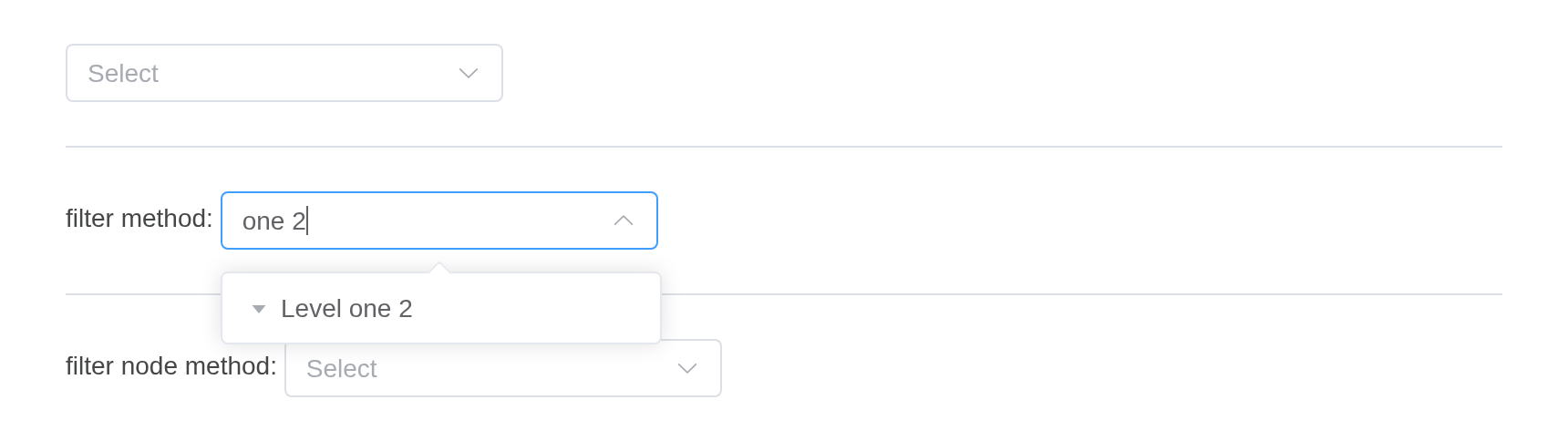
Custom content
Contents of custom tree nodes.
The default slot, scoped with data, draws each node; the
second select draws them with render_content.
n <- function(value, label, ...) {
  list(value = value, label = label, children = list(...))
}
nodes <- list(
  n(
    "1",
    "Level one 1",
    n("1-1", "Level two 1-1", n("1-1-1", "Level three 1-1-1"))
  ),
  n(
    "2",
    "Level one 2",
    n("2-1", "Level two 2-1", n("2-1-1", "Level three 2-1-1")),
    n("2-2", "Level two 2-2", n("2-2-1", "Level three 2-2-1"))
  ),
  n(
    "3",
    "Level one 3",
    n("3-1", "Level two 3-1", n("3-1-1", "Level three 3-1-1")),
    n("3-2", "Level two 3-2", n("3-2-1", "Level three 3-2-1"))
  )
)
tagList(
  el_tree_select(
    "ts_slot",
    data = nodes,
    width = "240px",
    slots = list(
      default = template(
        scope = "{ data: { label } }",
        htmltools::HTML(
          "{{ label }}<span style=\"color: gray\">(suffix)</span>"
        )
      )
    )
  ),
  el_divider(),
  "use render content:",
  el_tree_select(
    "ts_render",
    data = nodes,
    width = "240px",
    render_content = JS(
      "function(h, ctx) { return h('span', { style: { color: '#626AEF' } }, ctx.data.label); }"
    )
  )
)LazyLoad
Lazy loading of tree nodes, suitable for large data lists.
lazy = TRUE loads a node’s children when it opens, from
the server: input$<id>_load asks and
el_load_children() answers. cache_data gives
the label of a value whose node is not loaded yet.
ui <- el_page(
  el_tree_select(
    "lazy1",
    lazy = TRUE,
    props = list(label = "label", children = "children", isLeaf = "isLeaf"),
    width = "240px"
  ),
  el_divider(),
  el_tree_select(
    "lazy2",
    value = 5,
    lazy = TRUE,
    props = list(label = "label", children = "children", isLeaf = "isLeaf"),
    cache_data = list(list(value = 5, label = "lazy load node5")),
    width = "240px"
  )
)

server <- function(input, output, session) {
  id <- 0
  load <- function(q, tree) {
    if (isTRUE(q$data$isLeaf)) {
      return(el_load_children(id = tree, request = q))
    }
    id <<- id + 2
    el_load_children(
      id = tree,
      request = q,
      children = list(
        list(value = id - 1, label = paste0("lazy load node", id - 1)),
        list(value = id, label = paste0("lazy load node", id), isLeaf = TRUE)
      )
    )
  }
  observeEvent(input$lazy1_load, load(input$lazy1_load, "lazy1"))
  observeEvent(input$lazy2_load, load(input$lazy2_load, "lazy2"))
}

shinyApp(ui, server)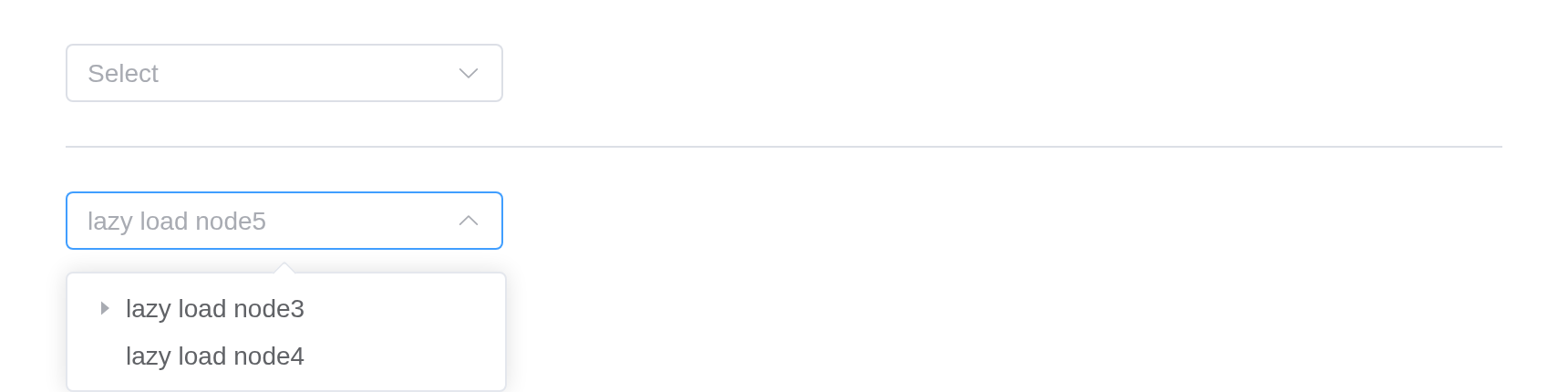
Use node-key attribute
By default the modelValue is looking for the
value key. For a different data structure
node-key must be provided to work normally.
Tip
node-keyshould be unique across the whole tree.value-keyhave the same objective asnode-key.- Contrary to the select component, the tree-select can’t retrieve an object value.
With node_key, the value names a node by its key.
el_tree_select(
  "ts_key",
  data = list(
    list(
      id = 1,
      label = "Level one 1",
      children = list(
        list(id = 2, label = "Level two 1-1"),
        list(id = 3, label = "Level two 1-2")
      )
    )
  ),
  node_key = "id",
  value = 2,
  show_checkbox = TRUE,
  multiple = TRUE,
  default_expand_all = TRUE,
  width = "240px"
)
API
Element Plus’s tables, and beside each entry where it is in R.
Attributes
| Element | In R | Description | Type | Accepted | Default |
|---|---|---|---|---|---|
tree, select |
any argument of el_tree() or el_select(),
through ...
|
The props of el-tree and el-select. | |||
tree |
tree | tree | tree | ||
select |
select | select | select |
Own Attributes
| Element | In R | Description | Type | Accepted | Default |
|---|---|---|---|---|---|
cache-data |
cache_data |
The cached data of the lazy node, the structure is the same as the data, used to get the label of the unloaded data |
1CacheOption[]
|
[] |