Display multiple fields in list form.
Basic usage
el_descriptions(
  "desc",
  title = "User Info",
  items = list(
    el_descriptions_item("Username", "kooriookami"),
    el_descriptions_item("Telephone", "18100000000"),
    el_descriptions_item("Place", "Suzhou"),
    el_descriptions_item(
      "Remarks",
      el_tag(label = "School", size = "small")
    ),
    el_descriptions_item(
      "Address",
      "No.1188, Wuzhong Avenue, Wuzhong District, Suzhou, Jiangsu Province"
    )
  )
)
Sizes
The radios resize both lists with
update_el_descriptions(size =).
label <- function(icon, text) {
  tags$div(
    class = "cell-item",
    el_icon(icon, style = "margin-right: 6px"),
    text
  )
}
items <- function() {
  list(
    list(label = label("User", "Username"), content = "kooriookami"),
    list(label = label("Iphone", "Telephone"), content = "18100000000"),
    list(label = label("Location", "Place"), content = "Suzhou"),
    list(
      label = label("Tickets", "Remarks"),
      content = el_tag(label = "School", size = "small")
    ),
    list(
      label = label("OfficeBuilding", "Address"),
      content = "No.1188, Wuzhong Avenue, Wuzhong District, Suzhou, Jiangsu Province"
    )
  )
}
ui <- el_page(
  tags$style(
    ".el-descriptions { margin-top: 20px; }
     .cell-item { display: flex; align-items: center; }"
  ),
  el_radio_group(
    "desc_size",
    choices = c(Large = "large", Default = "default", Small = "small"),
    selected = "default"
  ),
  el_descriptions(
    "desc_border",
    title = "With border",
    column = 3,
    size = "default",
    border = TRUE,
    items = items(),
    slots = list(extra = el_button("desc_op1", "Operation", type = "primary"))
  ),
  el_descriptions(
    "desc_plain",
    title = "Without border",
    column = 3,
    size = "default",
    items = items(),
    slots = list(extra = el_button("desc_op2", "Operation", type = "primary"))
  )
)
server <- function(input, output, session) {
  observeEvent(input$desc_size, ignoreInit = TRUE, {
    for (id in c("desc_border", "desc_plain")) {
      update_el_descriptions(session, id, size = input$desc_size)
    }
  })
}
shinyApp(ui, server)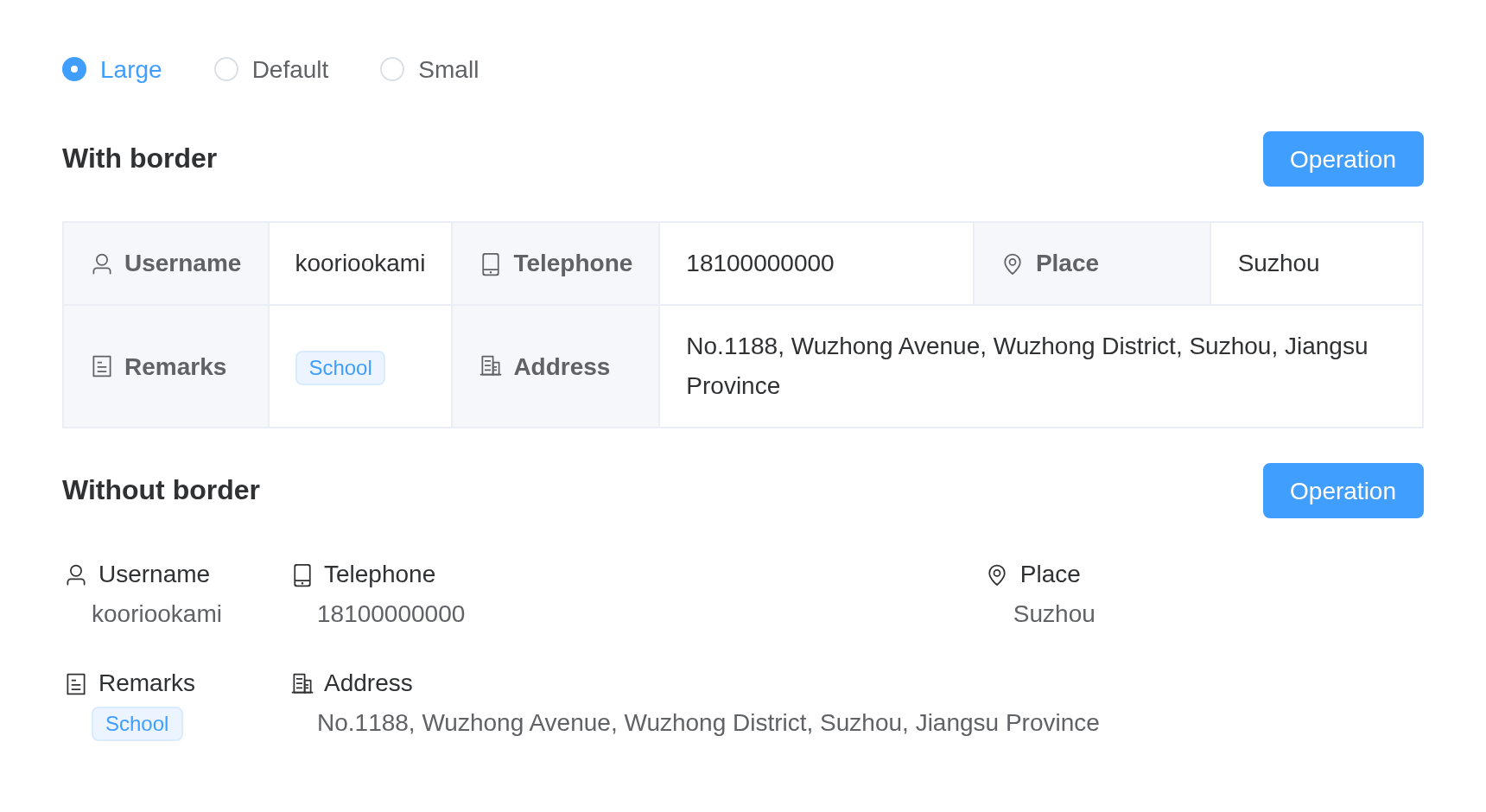
Vertical List
The radios resize both lists with
update_el_descriptions(size =).
items <- function() {
  list(
    el_descriptions_item("Username", "kooriookami"),
    el_descriptions_item("Telephone", "18100000000"),
    el_descriptions_item("Place", "Suzhou", span = 2),
    el_descriptions_item("Remarks", el_tag(label = "School", size = "small")),
    el_descriptions_item(
      "Address",
      "No.1188, Wuzhong Avenue, Wuzhong District, Suzhou, Jiangsu Province"
    )
  )
}
ui <- el_page(
  el_radio_group(
    "desc_v_size",
    choices = c(Large = "large", Default = "default", Small = "small"),
    selected = "default"
  ),
  el_descriptions(
    "desc_v",
    title = "Vertical list with border",
    direction = "vertical",
    column = 4,
    size = "default",
    border = TRUE,
    items = items()
  ),
  tags$div(
    style = "margin-top: 28px",
    el_descriptions(
      "desc_v_plain",
      title = "Vertical list without border",
      direction = "vertical",
      column = 4,
      size = "default",
      items = items()
    )
  )
)
server <- function(input, output, session) {
  observeEvent(input$desc_v_size, ignoreInit = TRUE, {
    for (id in c("desc_v", "desc_v_plain")) {
      update_el_descriptions(session, id, size = input$desc_v_size)
    }
  })
}
shinyApp(ui, server)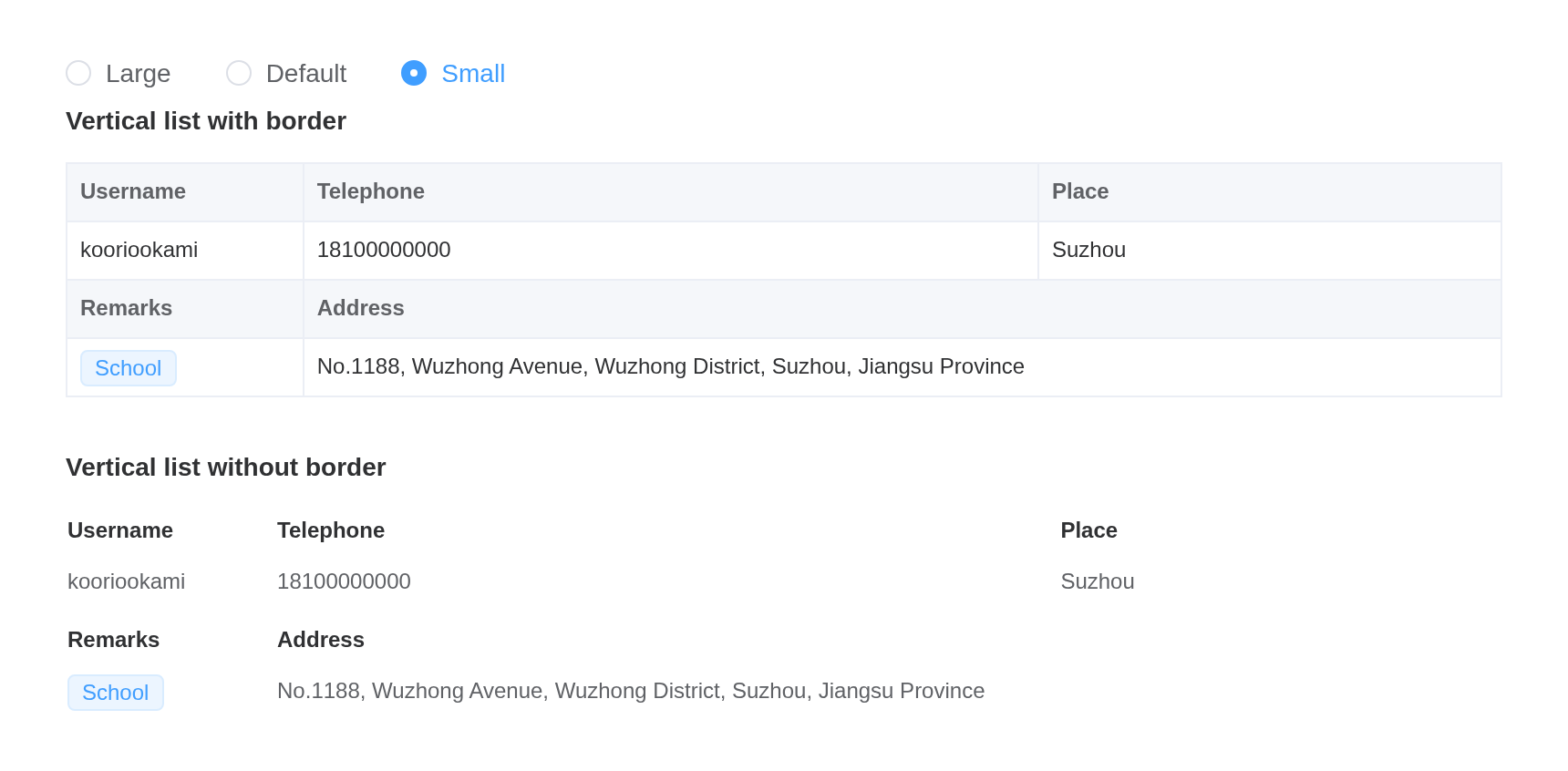
Rowspan
items <- function() {
  list(
    el_descriptions_item(
      "Photo",
      el_image(
        src = "https://cube.elemecdn.com/0/88/03b0d39583f48206768a7534e55bcpng.png",
        style = "width: 100px; height: 100px"
      ),
      rowspan = 2,
      width = 140,
      align = "center"
    ),
    el_descriptions_item("Username", "kooriookami"),
    el_descriptions_item("Telephone", "18100000000"),
    el_descriptions_item("Place", "Suzhou"),
    el_descriptions_item("Remarks", el_tag(label = "School", size = "small")),
    el_descriptions_item(
      "Address",
      "No.1188, Wuzhong Avenue, Wuzhong District, Suzhou, Jiangsu Province"
    )
  )
}
tagList(
  el_descriptions(
    "desc_rs",
    title = "Width horizontal list",
    border = TRUE,
    items = items()
  ),
  tags$div(
    style = "margin-top: 20px",
    el_descriptions(
      "desc_rs_v",
      title = "Width vertical list",
      direction = "vertical",
      border = TRUE,
      items = items()
    )
  )
)
Customized Style
item <- function(label, content, ...) {
  el_descriptions_item(
    label,
    content,
    label_align = "right",
    align = "center",
    ...
  )
}
tagList(
  tags$style(
    ".my-label { background: var(--el-color-success-light-9) !important; }
     .my-content { background: var(--el-color-danger-light-9); }"
  ),
  el_descriptions(
    "desc_style",
    title = "Customized style list",
    column = 3,
    border = TRUE,
    items = list(
      item(
        "Username",
        "kooriookami",
        label_class_name = "my-label",
        class_name = "my-content",
        width = "150px"
      ),
      item("Telephone", "18100000000"),
      item("Place", "Suzhou"),
      item("Remarks", el_tag(label = "School", size = "small")),
      item(
        "Address",
        "No.1188, Wuzhong Avenue, Wuzhong District, Suzhou, Jiangsu Province"
      )
    )
  )
)
API
Element Plus’s tables, and beside each entry where it is in R.
Descriptions Attributes
| Element | In R | Description | Type | Accepted | Default |
|---|---|---|---|---|---|
border |
border |
with or without border | 1 | false | |
column |
column |
numbers of Descriptions Item in one line |
2 | 3 | |
direction |
direction |
direction of list |
3'vertical' \\| 'horizontal'
|
horizontal | |
size |
size |
size of list |
4'' \\| 'large' \\| 'default' \\| 'small'
|
— | |
title |
title |
title text, display on the top left | 5 | ’’ | |
extra |
extra |
extra text, display on the top right | 6 | ’’ | |
label-width |
label_width |
label width of every column | 7 / 8 | — |
Descriptions Slots
| Element | In R | Description |
|---|---|---|
default |
default content | customize default content |
title |
slots = list(title = ) |
custom title, display on the top left |
extra |
slots = list(extra = ) |
custom extra area, display on the top right |
DescriptionsItem Attributes
| Element | In R | Description | Type | Accepted | Default |
|---|---|---|---|---|---|
label |
el_descriptions_item(label =) |
label text | 9 | ’’ | |
span |
el_descriptions_item(span =) |
colspan of column | 10 | 1 | |
rowspan |
el_descriptions_item(rowspan =) |
the number of rows a cell should span | 11 | 1 | |
width |
el_descriptions_item(width =) |
column width, the width of the same column in different rows is set
by the max value (If no border, width contains label and
content) |
12 / 13 | ’’ | |
min-width |
el_descriptions_item(min_width =) |
column minimum width, columns with width has a fixed
width, while columns with min-width has a width that is
distributed in proportion (If noborder, width contains
label and content) |
14 / 15 | ’’ | |
label-width |
el_descriptions_item(label_width =) |
column label width, if not set, it will be the same as the width of
the column. Higher priority than the label-width of
Descriptions
|
16 / 17 | — | |
align |
el_descriptions_item(align =) |
column content alignment (If no border, effective for
both label and content) |
18'left' \\| 'center' \\| 'right'
|
left | |
label-align |
el_descriptions_item(label_align =) |
column label alignment, if omitted, the value of the above
align attribute will be applied (If no border,
please use align attribute) |
19'left' \\| 'center' \\| 'right'
|
— | |
class-name |
el_descriptions_item(class_name =) |
column content custom class name | 20 | ’’ | |
label-class-name |
el_descriptions_item(label_class_name =) |
column label custom class name | 21 | ’’ |