Element Plus has a dark mode: its CSS variables, redefined under the
class dark on <html>. The stylesheet
ships with the package and every page loads it, so dark mode is a class
away.
How to enable it?
Add class = "dark" to the page’s
<html> – once, from the UI:
ui <- el_page(
  tags$script("document.documentElement.classList.add('dark');"),
  tags$style(
    "html.dark body { background: var(--el-bg-color); color: var(--el-text-color-primary); }"
  ),
  el_button("b1", "Default"),
  el_button("b2", "Primary", type = "primary"),
  el_input("i", placeholder = "Input", width = "200px"),
  el_switch("s", value = TRUE),
  el_pagination("p", total = 50)
)

shinyApp(ui, function(input, output, session) {})
Or let the user switch, the server toggling the class:
ui <- el_page(
  tags$script(HTML(
    "Shiny.addCustomMessageHandler('dark', function (on) {",
    "  document.documentElement.classList.toggle('dark', on);",
    "});"
  )),
  tags$style(
    "html.dark body { background: var(--el-bg-color); color: var(--el-text-color-primary); }"
  ),
  el_switch("dark", active_text = "Dark", inactive_text = "Light"),
  tags$div(
    style = "margin-top: 16px",
    el_card(
      header = "A card",
      tags$p("Its colours follow the mode."),
      el_button("go", "Primary", type = "primary")
    )
  )
)

server <- function(input, output, session) {
  observeEvent(
    input$dark,
    session$sendCustomMessage("dark", isTRUE(input$dark))
  )
}

shinyApp(ui, server)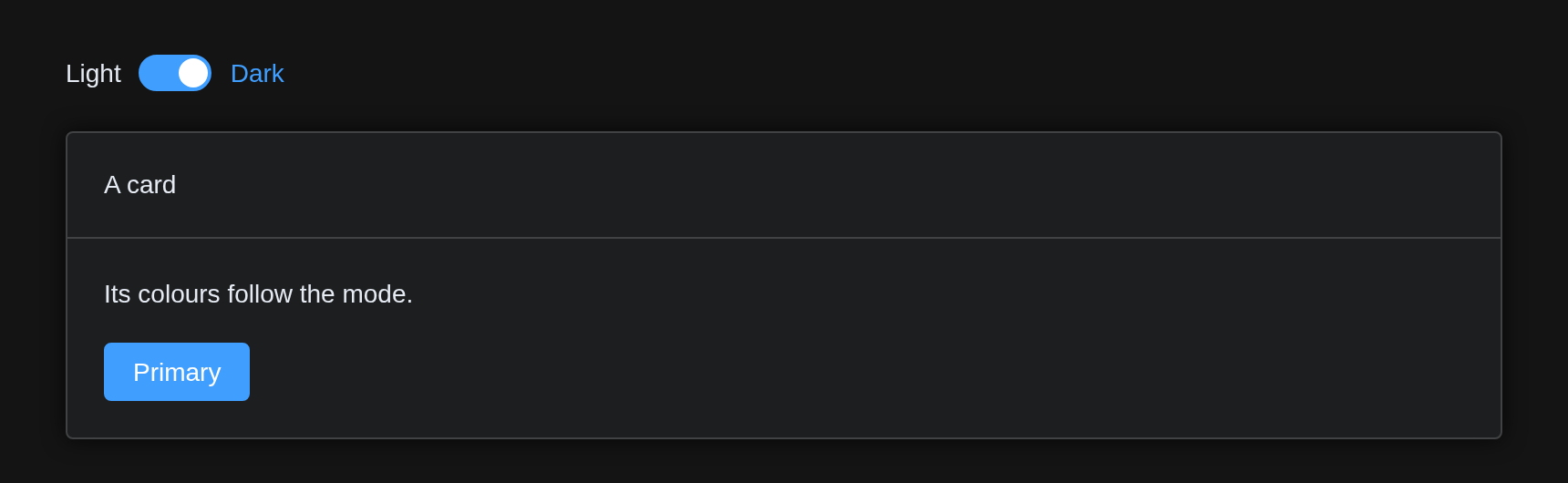
The page around the components is Bootstrap’s: the
tags$style() above gives its background and text Element
Plus’s dark colours.
With bslib
Bootstrap has a dark mode of its own,
data-bs-theme="dark" on <html>, and
bslib’s input_dark_mode() switches it. The components
follow: while the page has data-bs-theme, the class
dark goes with it, so one switch turns Bootstrap and
Element Plus together.
theme <- el_theme()
ui <- page_sidebar(
  theme = theme,
  use_element(theme = theme),
  sidebar = sidebar(input_dark_mode(id = "mode")),
  el_input("i", placeholder = "Input"),
  el_button("b", "Primary", type = "primary")
)
Custom variables
A dark theme of your own overrides Element Plus’s variables under
html.dark:
tags$style(
  "html.dark {
  --el-bg-color: #141414;
  --el-color-primary: #3b82f6;
}"
)
A brand colour given to el_theme() gets its dark tints
too: el_page() mixes them against the dark background, as
Element Plus’s dark stylesheet does for its own blue.