Display date.
Basic
Set value to specify the currently displayed month. If
value is not specified, current month is displayed.
value supports two-way binding.
el_calendar("cal", value = Sys.Date())Controller Type
You can set the type of the controller for Calendar header. When
setting select, you can use formatter to
customize label.
The radio buttons set controller_type from the server,
with update_el_calendar().
ui <- el_page(
  el_radio_group(
    "controller",
    choices = c("select", "button"),
    value = "select",
    button = TRUE
  ),
  el_calendar("cal_ctl", value = Sys.Date(), controller_type = "select")
)

server <- function(input, output, session) {
  observeEvent(input$controller, {
    update_el_calendar(session, "cal_ctl", controller_type = input$controller)
  })
}

shinyApp(ui, server)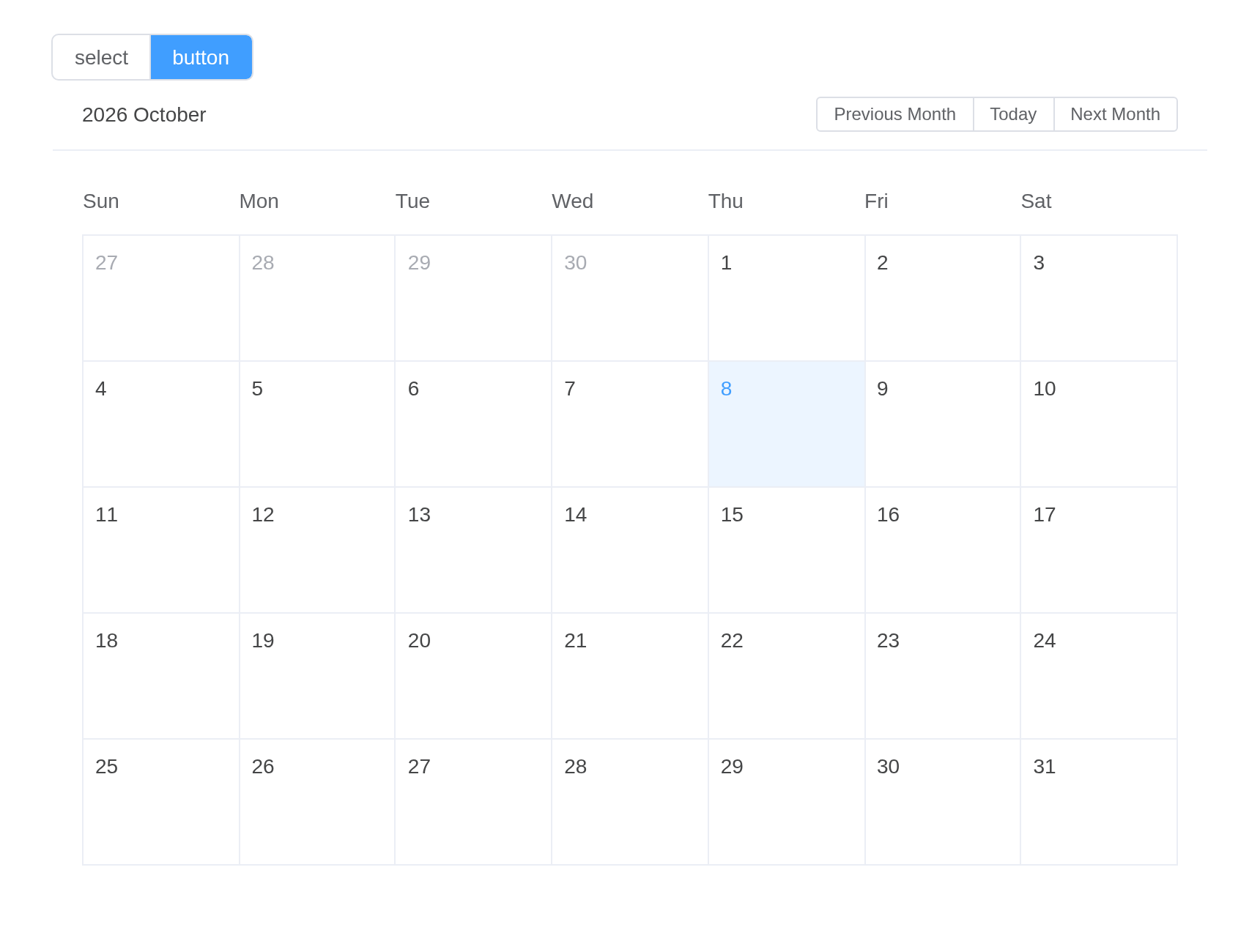
Custom Content
Customize what is displayed in the calendar cell by setting
scoped-slot named date-cell. In
scoped-slot you can get the date (the date of the current
cell), data (including the type, isSelected, day attribute). For
details, please refer to the API documentation below.
tagList(
  tags$style(".is-selected { color: #1989fa; }"),
  el_calendar(
    "cal_cell",
    slots = list(
      `date-cell` = template(
        htmltools::HTML(paste0(
          "<p :class=\"data.isSelected ? 'is-selected' : ''\">",
          "{{ data.day.split('-').slice(1).join('-') }} ",
          "{{ data.isSelected ? '\u2714\ufe0f' : '' }}</p>"
        )),
        slot = "date-cell",
        scope = "{ data }"
      )
    )
  )
)
Range
Set the range attribute to specify the display range of
the calendar. Start time must be Monday, end time must be Sunday, and
the time span cannot exceed two months.
el_calendar("cal_range", range = c("2019-03-04", "2019-03-24"))Customize header
The header’s buttons move the calendar with Element Plus’s
selectDate(), called on the calendar’s ref,
$refs.calendar, as upstream names it.
el_calendar(
  "cal_head",
  slots = list(
    header = template(
      htmltools::HTML(paste0(
        "<span>Custom header content</span><span>{{ date }}</span>",
        "<el-button-group>",
        "<el-button size=\"small\" @click=\"$refs.calendar.selectDate('prev-year')\">Previous Year</el-button>",
        "<el-button size=\"small\" @click=\"$refs.calendar.selectDate('prev-month')\">Previous Month</el-button>",
        "<el-button size=\"small\" @click=\"$refs.calendar.selectDate('today')\">Today</el-button>",
        "<el-button size=\"small\" @click=\"$refs.calendar.selectDate('next-month')\">Next Month</el-button>",
        "<el-button size=\"small\" @click=\"$refs.calendar.selectDate('next-year')\">Next Year</el-button>",
        "</el-button-group>"
      )),
      slot = "header",
      scope = "{ date }"
    )
  )
)
Localization
The default locale of is English, if you need to use other languages, please check Internationalization
Note, date time locale (month name, first day of the week …) are also configured in localization.
In Shiny
Days from the server
In an app whose events the server reads – from a database, from the
files on disk – the calendar is an output, as toastui’s is:
el_calendar_output() in the UI,
render_el_calendar() in the server. Each event has a
date, and optionally an end, a
title, a body shown on hover, and Element’s
tag type or a color of its own; a title left
empty draws a block of colour. A click on an event arrives as
input$<id>_click, its days as Dates; the month shown,
as input$<id>_dates. Rendered again, the calendar is
patched: only the events are sent, and the month the user went to
stays.
#'
archive <- data.frame(
  date = as.Date("2026-10-20") - c(16, 9, 6, 2),
  title = c("", "", "", "Validated"),
  body = c("Raw data", "Raw data", "Archive", "Validated data"),
  color = c("lightgrey", "lightgrey", "#EED5B7", "#E9C46B")
)

ui <- el_page(
  el_calendar_output("snapshot"),
  verbatimTextOutput("picked")
)

server <- function(input, output, session) {
  output$snapshot <- render_el_calendar(
    el_calendar(value = max(archive$date), events = archive)
  )
  output$picked <- renderPrint(input$snapshot_click$date)
}

shinyApp(ui, server)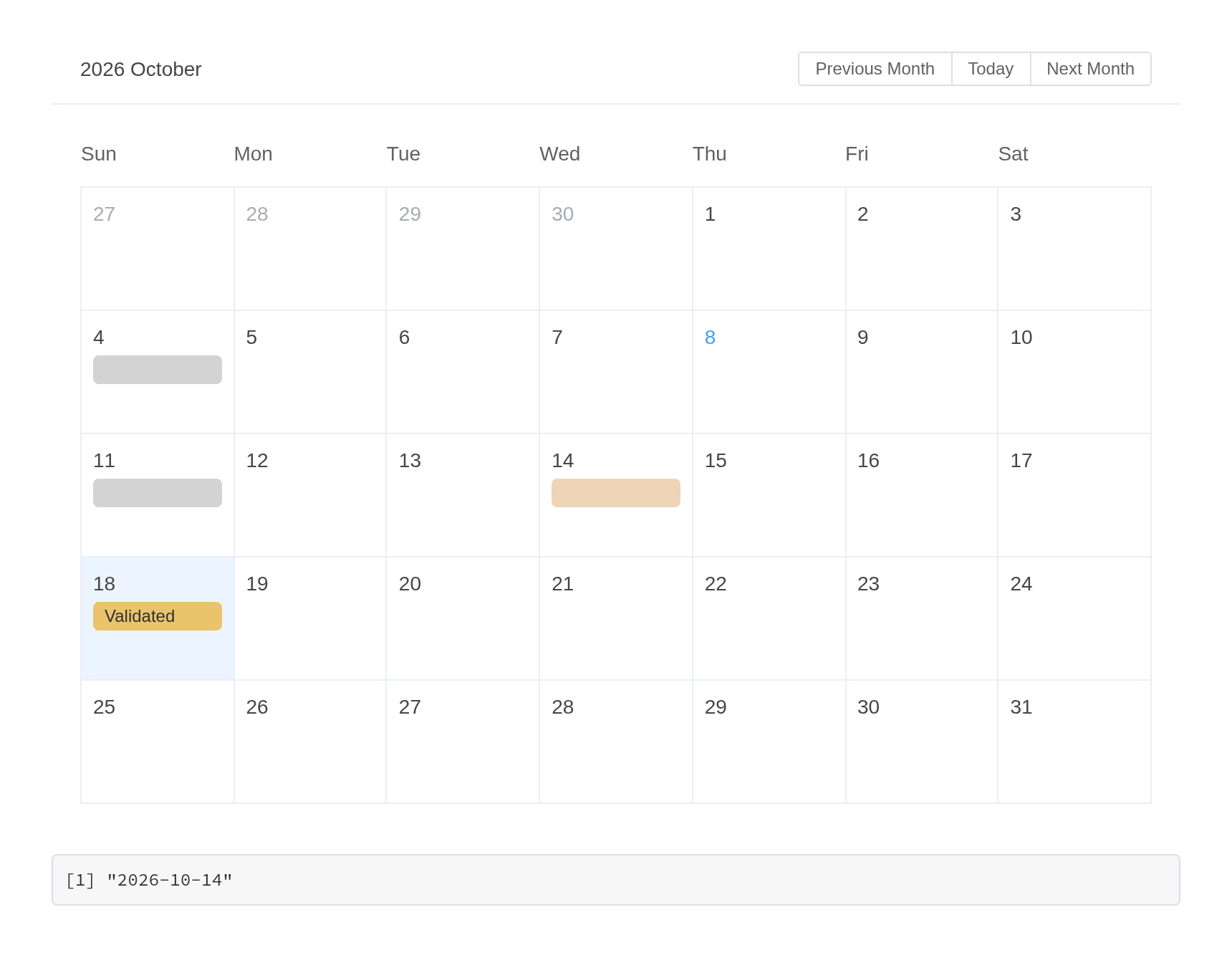
A planner
With editable = TRUE the user double-clicks a day, or
drags across several, to add an event, clicks one to edit or delete it
in a dialog, and drags it to another day. The server owns the events, as
toastui’s calendar has it: what the user does arrives as a request and
changes nothing until the server answers – here by changing its data,
which renders the calendar again; for a large calendar,
update_el_calendar(insert =, replace =, delete =) sends
only the events that changed. el_calendar_events() reads
what the calendar shows. A day comes back as a Date and a time, which
the dialog’s switch adds, as a date-time; the app keeps both as text, as
the calendar takes them. | Input | Value | |—|—| |
input$plan | the day picked, "YYYY-MM-DD" | |
input$plan_dates | the days drawn,
list(current, start, end), Dates | |
input$plan_click | the event clicked | |
input$plan_add | a new event asked for, without an
id | | input$plan_update |
list(event, changes): an edit, or a move | |
input$plan_delete | the event to delete |
#'
#'
#'
ui <- el_page(el_calendar_output("plan"))

server <- function(input, output, session) {
  # a day as "YYYY-MM-DD", a time as "YYYY-MM-DD HH:MM"
  as_text <- function(x) {
    if (is.null(x)) {
      NA_character_
    } else if (inherits(x, "POSIXt")) {
      format(x, "%Y-%m-%d %H:%M")
    } else {
      format(x)
    }
  }
  events <- reactiveVal(data.frame(
    id = 1:3,
    date = c("2026-10-05 09:30", "2026-10-07", "2026-10-14"),
    end = c(NA, "2026-10-09", NA),
    title = c("Standup", "Conference", "Review"),
    type = c("primary", "success", "warning")
  ))
  output$plan <- render_el_calendar(
    el_calendar(value = "2026-10-07", events = events(), editable = TRUE)
  )
  observeEvent(input$plan_add, {
    new <- input$plan_add
    events(rbind(
      events(),
      data.frame(
        id = max(events()$id) + 1L,
        date = as_text(new$date),
        end = as_text(new$end),
        title = new$title,
        type = new$type
      )
    ))
  })
  observeEvent(input$plan_update, {
    d <- events()
    i <- d$id == input$plan_update$event$id
    for (k in intersect(names(input$plan_update$changes), names(d))) {
      value <- input$plan_update$changes[[k]]
      d[[k]][i] <- if (k %in% c("date", "end")) as_text(value) else value
    }
    events(d)
  })
  observeEvent(input$plan_delete, {
    events(events()[events()$id != input$plan_delete$id, ])
  })
}

shinyApp(ui, server)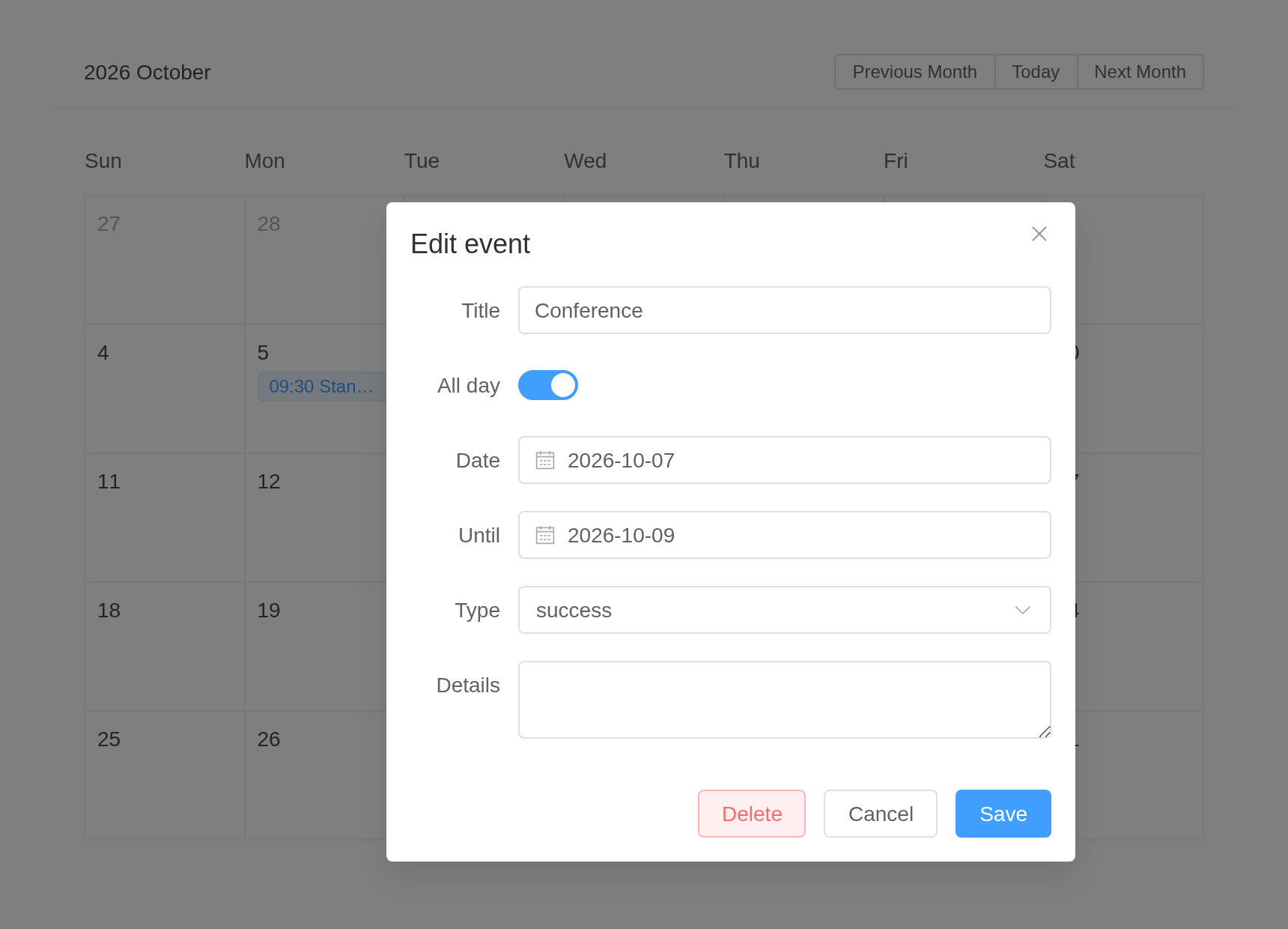
Times, groups and a full day
A date with a time shows it before the title, and a day
lists its all-day events first, then the others by time.
calendars groups the events, as toastui’s do: each event
names its group as calendarId and takes its
type or color unless it has one of its own;
update_el_calendar(calendars =) with
isVisible = FALSE hides a group. Past
visible_event_count a day shows “+N more”, which lists them
all. first_day_of_week starts the week on Monday
(1), and an event with isReadOnly stays where
it is.
#'
ui <- el_page(
  el_checkbox_group(
    "shown",
    choices = c(Work = "work", Home = "home"),
    value = c("work", "home")
  ),
  el_calendar_output("week")
)

server <- function(input, output, session) {
  calendars <- data.frame(
    id = c("work", "home"),
    name = c("Work", "Home"),
    type = c("primary", "success")
  )
  output$week <- render_el_calendar(el_calendar(
    value = "2026-10-07",
    events = data.frame(
      id = 1:6,
      date = c(
        "2026-10-05",
        "2026-10-05 09:30",
        "2026-10-05 14:00",
        "2026-10-05",
        "2026-10-07",
        "2026-10-13 10:00"
      ),
      end = c(NA, NA, "2026-10-05 15:00", NA, "2026-10-09", NA),
      title = c("Standup", "Design", "Review", "Lunch", "Conference", "Audit"),
      calendarId = c("work", "work", "work", "home", "work", "work"),
      isReadOnly = c(FALSE, FALSE, FALSE, FALSE, FALSE, TRUE)
    ),
    calendars = calendars,
    editable = TRUE,
    visible_event_count = 2,
    first_day_of_week = 1
  ))
  observeEvent(input$shown, ignoreNULL = FALSE, {
    calendars$isVisible <- calendars$id %in% input$shown
    update_el_calendar(session, "week", calendars = calendars)
  })
}

shinyApp(ui, server)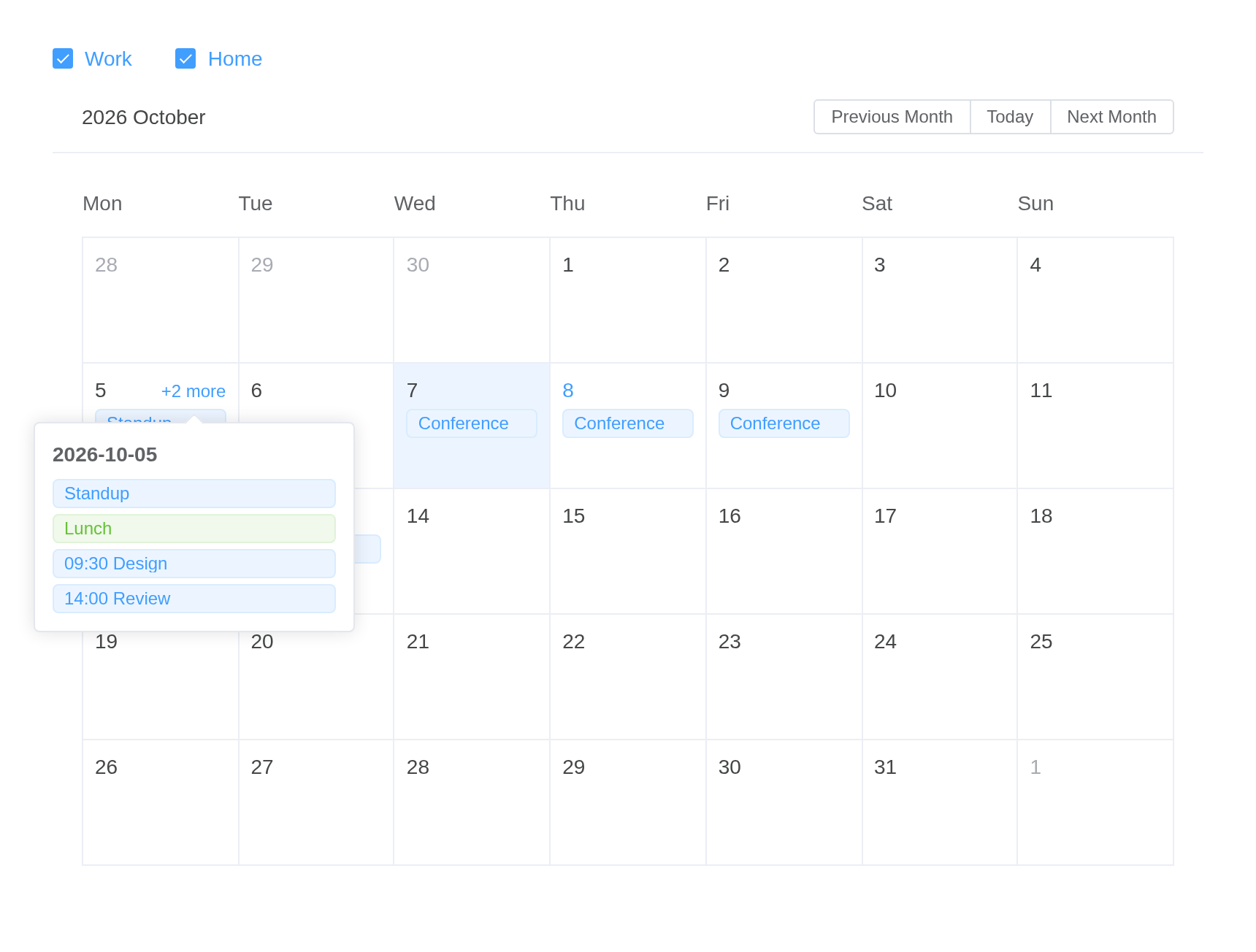
A dialog of your own
toastui’s popups are fixed; here the dialog, the popover and each
event’s tag are slots, filled with Element’s components.
eventForm replaces the dialog’s fields: bind one to
form.<field> and it travels with the event in
input$<id>_add and _update.
eventDetail fills the popover that
use_detail_popup opens on an event the user cannot edit,
and event the tag. Each slot’s scope –
{ form, labels, calendars },
{ event, labels, calendars }, { event, day } –
is named in template(scope = ), or all of it when none is
written. workweek leaves out the weekend.
#'
ui <- el_page(
  el_calendar_output("visits"),
  verbatimTextOutput("changed")
)

server <- function(input, output, session) {
  output$visits <- render_el_calendar(el_calendar(
    value = "2026-10-07",
    events = data.frame(
      id = 1:3,
      date = c("2026-10-06", "2026-10-08", "2026-10-14"),
      title = c("Site visit", "Audit", "Review"),
      site = c("Lab 2", "HQ", "Lab 1"),
      priority = c(3, 5, 2),
      isReadOnly = c(FALSE, TRUE, FALSE)
    ),
    editable = TRUE,
    use_detail_popup = TRUE,
    workweek = TRUE,
    slots = list(
      event = template(
        "<el-icon><Location /></el-icon> {{ event.title }}",
        slot = "event",
        scope = "{ event }"
      ),
      eventForm = tagList(
        el$form_item(label = "Title", el$input(`v-model` = "form.title")),
        el$form_item(
          label = "Site",
          el$select(
            `v-model` = "form.site",
            el$option(
              `v-for` = "s in ['Lab 1', 'Lab 2', 'HQ']",
              `:key` = "s",
              `:label` = "s",
              `:value` = "s"
            )
          )
        ),
        el$form_item(label = "Priority", el$rate(`v-model` = "form.priority")),
        el$form_item(
          label = "Day",
          el$date_picker(`v-model` = "form.date", `value-format` = "YYYY-MM-DD")
        )
      ),
      eventDetail = tagList(
        el$text(tag = "b", "{{ event.title }}"),
        el$descriptions(
          `:column` = "1",
          size = "small",
          el$descriptions_item(label = "Site", "{{ event.site }}"),
          el$descriptions_item(
            label = "Priority",
            el$rate(`:model-value` = "event.priority", disabled = NA)
          )
        )
      )
    )
  ))
  output$changed <- renderPrint(input$visits_update$changes)
}

shinyApp(ui, server)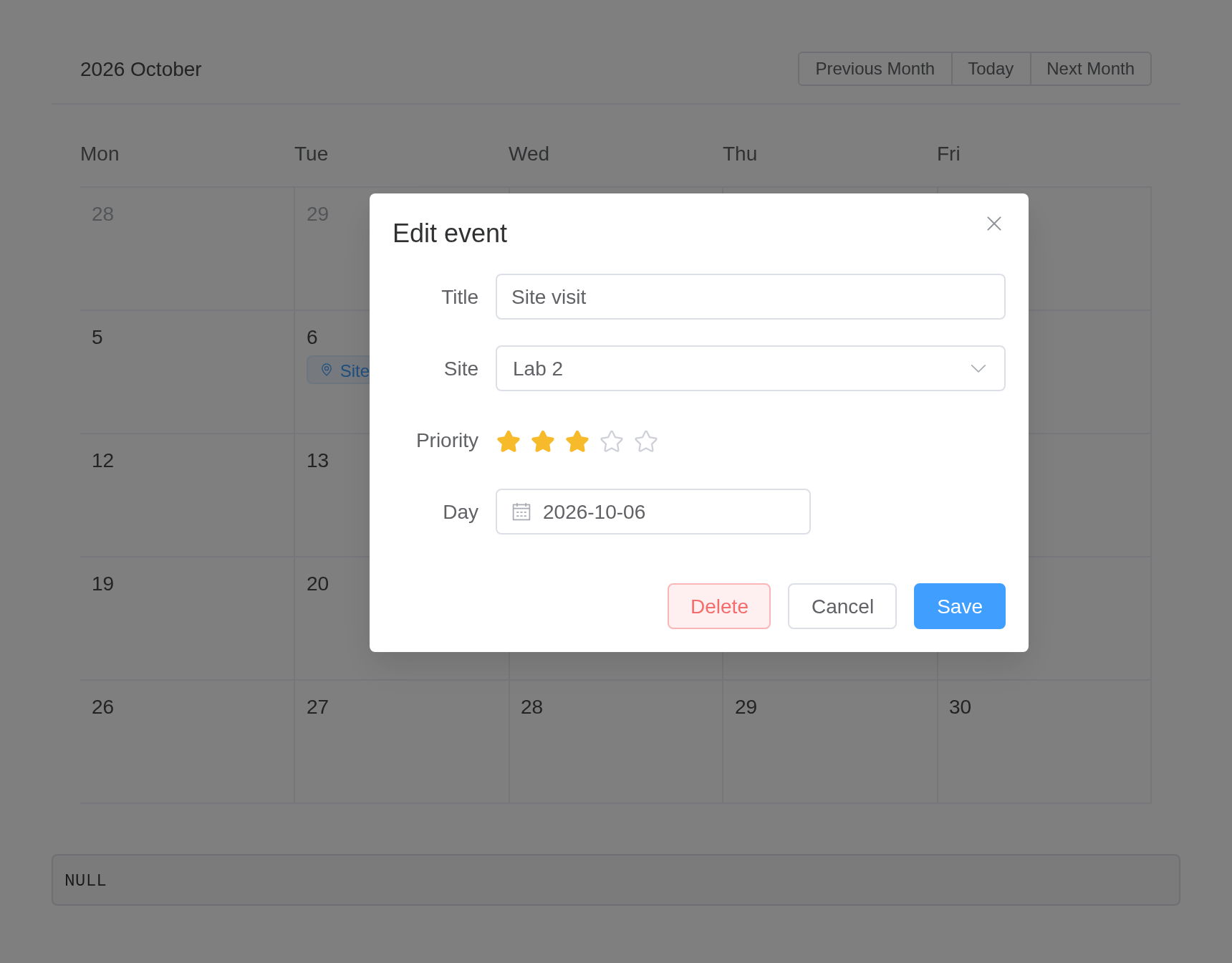
API
Element Plus’s tables, and beside each entry where it is in R.
Attributes
| Element | In R | Description | Type | Accepted | Default |
|---|---|---|---|---|---|
model-value |
value; input$<id>
|
binding value | 1 | — | |
range |
range |
time range, including start time and end time. Start time must be start day of week, end time must be end day of week, the time span cannot exceed two months. |
2[Date, Date]
|
— | |
controller-type |
controller_type |
type of the controller for Calendar header |
3'button' \\| 'select'
|
button | |
formatter |
formatter |
format label when controller-type is ‘select’ |
4(value: number, type: 'year' \\| 'month') => string \\| number
|
— |
Slots
| Element | In R | Description |
|---|---|---|
date-cell |
slots = list(date-cell = ) |
type indicates which month the date belongs, optional
values are prev-month, current-month, next-month;
isSelected indicates whether the date is selected;
day is the formatted date in the format
YYYY-MM-DD; date is date the cell
represents |
header |
slots = list(header = ) |
content of the Calendar header |
Exposes
| Element | In R | Description |
|---|---|---|
pickDay |
call_el(session, id, "pickDay") |
select a specific date |
selectDate |
call_el(session, id, "selectDate") |
select date |
calculateValidatedDateRange |
call_el(session, id, "calculateValidatedDateRange") |
Calculate the validate date range according to the start and end dates |